

Safha · صفحة means “page”
The Quran, page by page
A printed mushaf on your iPhone and iPad, and around it what a Muslim’s day asks for: prayer times, the Qibla, the adhkar and the hadith.
Coming soon to the App Store
Free · No ads · No account
The mushaf
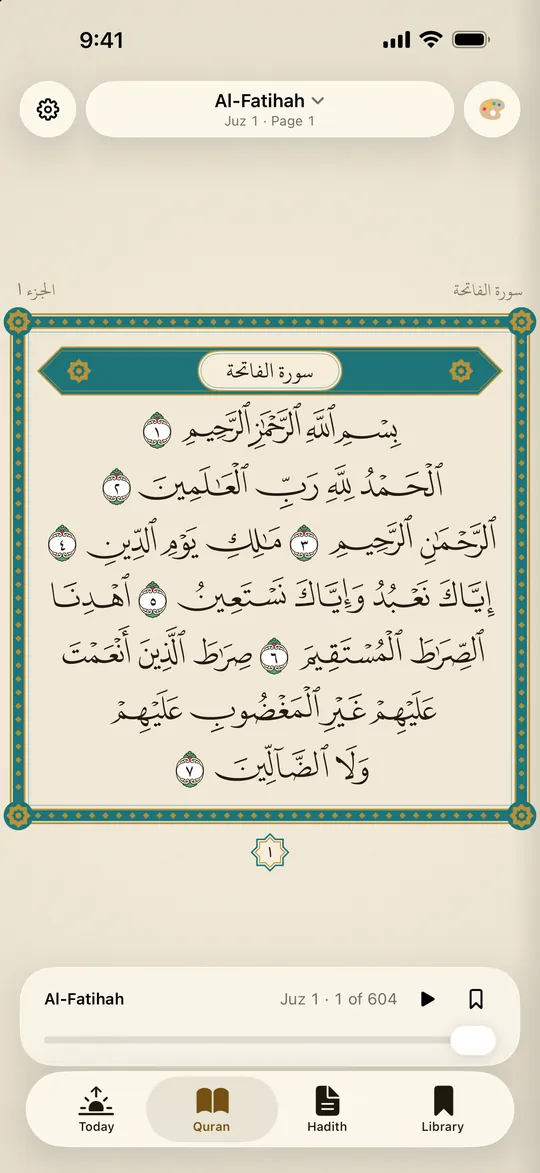
Line for line, as in the Madani print
All 604 pages of the King Fahd Complex mushaf, in the Madinah or the Classic design, with tajweed colours if you want them.
- 27 reciters. With 14 of them, each word lights up as it is recited. Repeat an ayah to memorise it.
- 126 translations in 66 languages, beneath the Arabic or on their own.
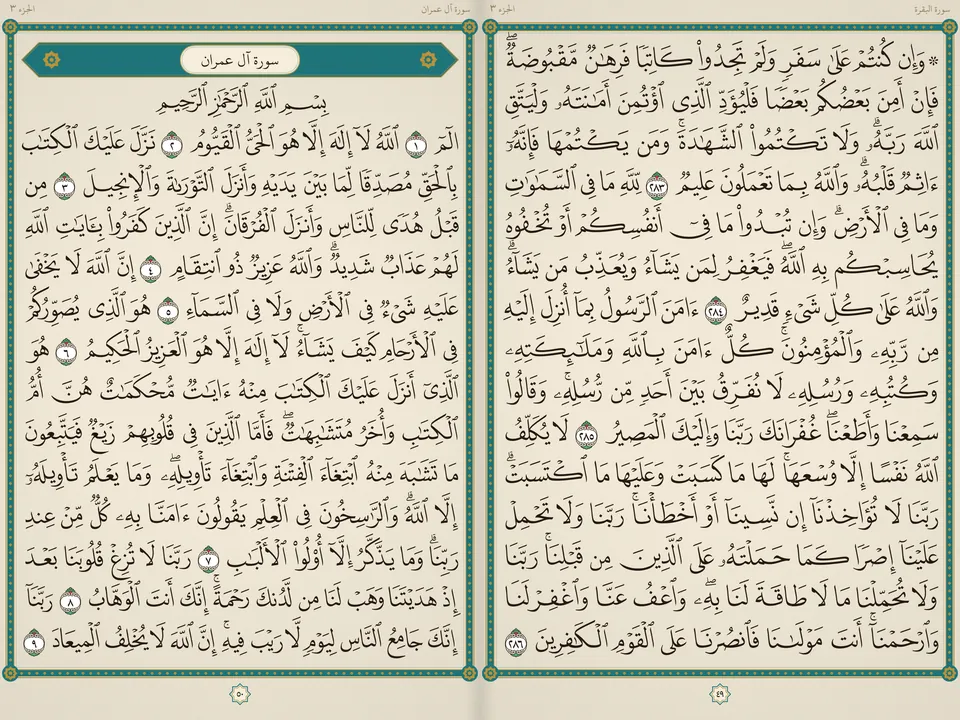
- Turn it on its side and the mushaf opens as a two-page spread.
Tafsir
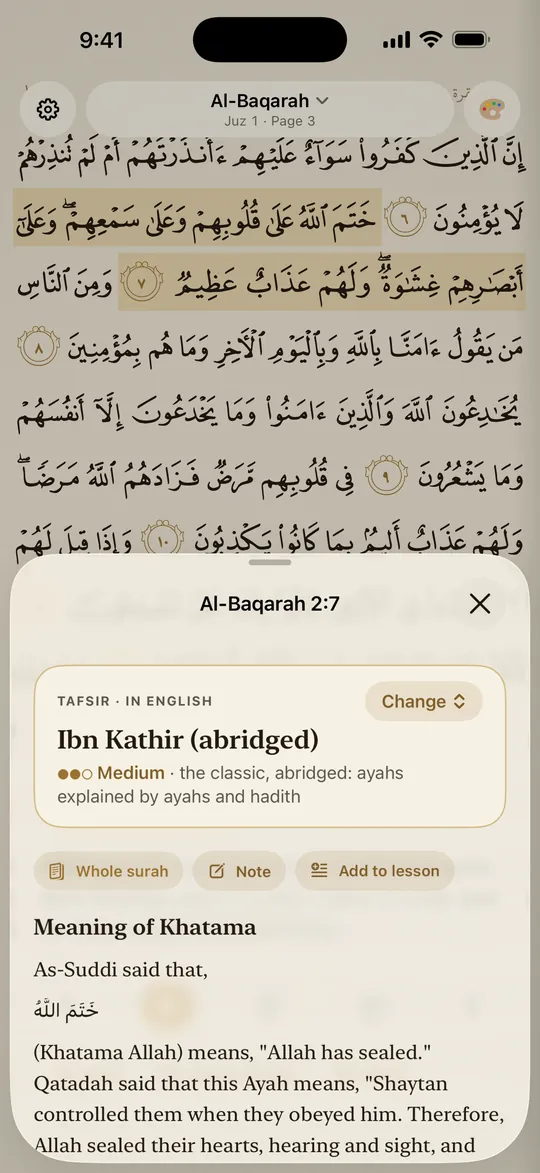
The tafsir beside the page
More than 100 tafsirs in over 30 languages, from Ibn Kathir and as‑Sa‘di to the Arabic classics. Each page shows the Arabic beside the tafsir’s own language, with no other translation mixed in.
- Read a whole surah’s tafsir like a book. Its pages turn as a printed one does.
- Highlight in yellow or green, and find your highlights again in the Library.
- Write a note on any passage, or add it to a lesson.
Hadith
The great hadith collections
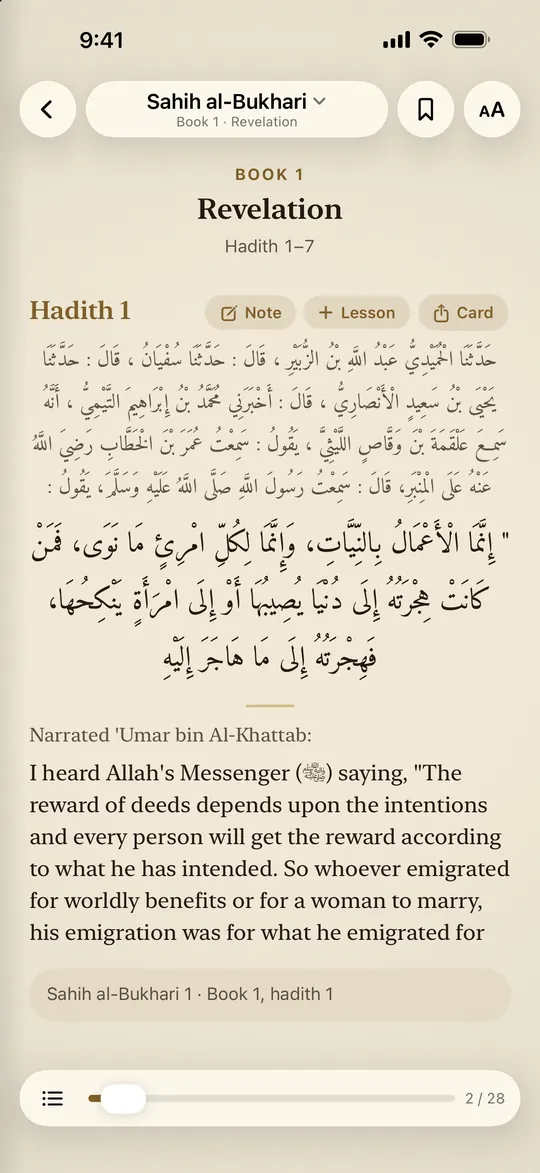
An‑Nawawi’s Forty and the Forty Hadith Qudsi are built in. Al‑Bukhari, Muslim, Abu Dawud, at‑Tirmidhi, an‑Nasa’i, Ibn Majah and Malik’s Muwatta’: download one once, then read it offline, page by page.
- Each hadith as its book gives it, in Arabic and English, with its grade and the scholar who gave it, where the edition has one.
- Turn the pages as in a book, or read one hadith at a time. Search and bookmarks are there too.
- Share a hadith as a card or as text.
Today
Your day, prayer by prayer
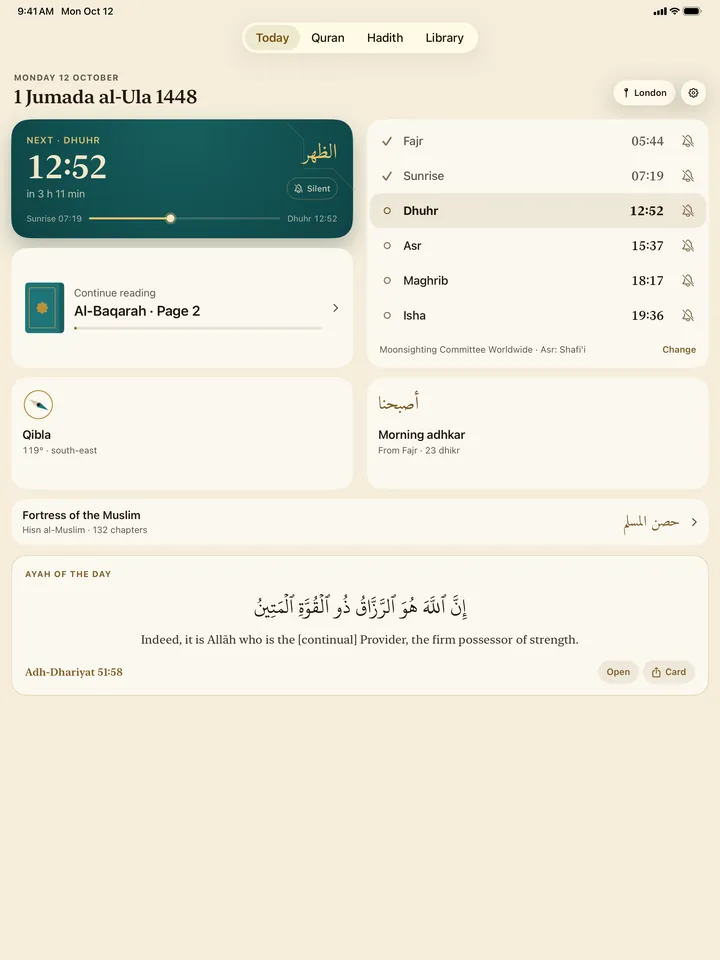
Safha opens on Today: the Hijri date, the next prayer and your page one tap away. The times are worked out on your phone, by the method used where you are.
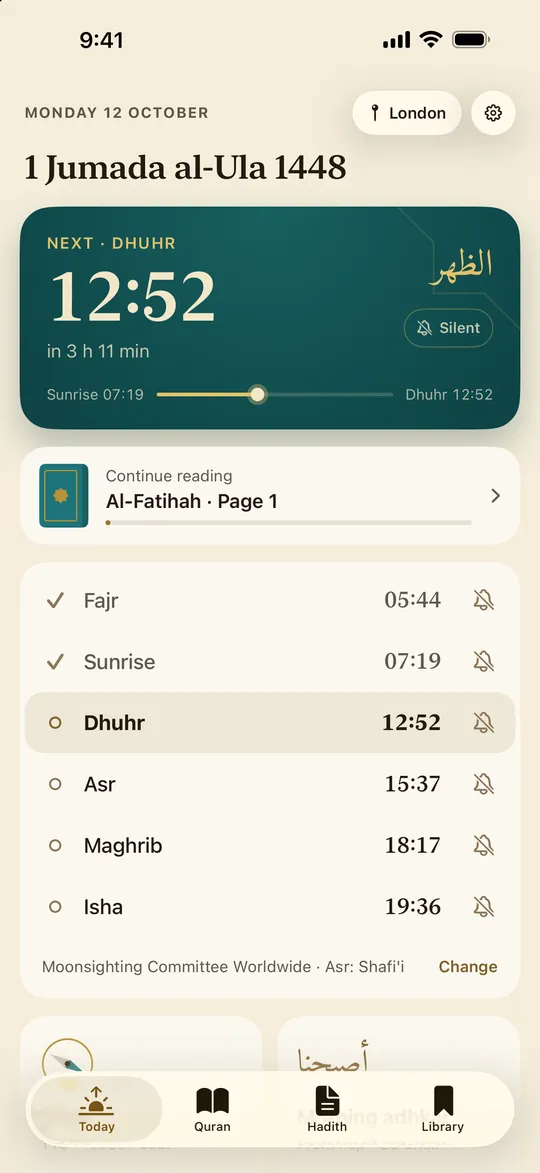
- The adhan for the prayers you choose. In Ramadan, suhoor and iftar are marked.
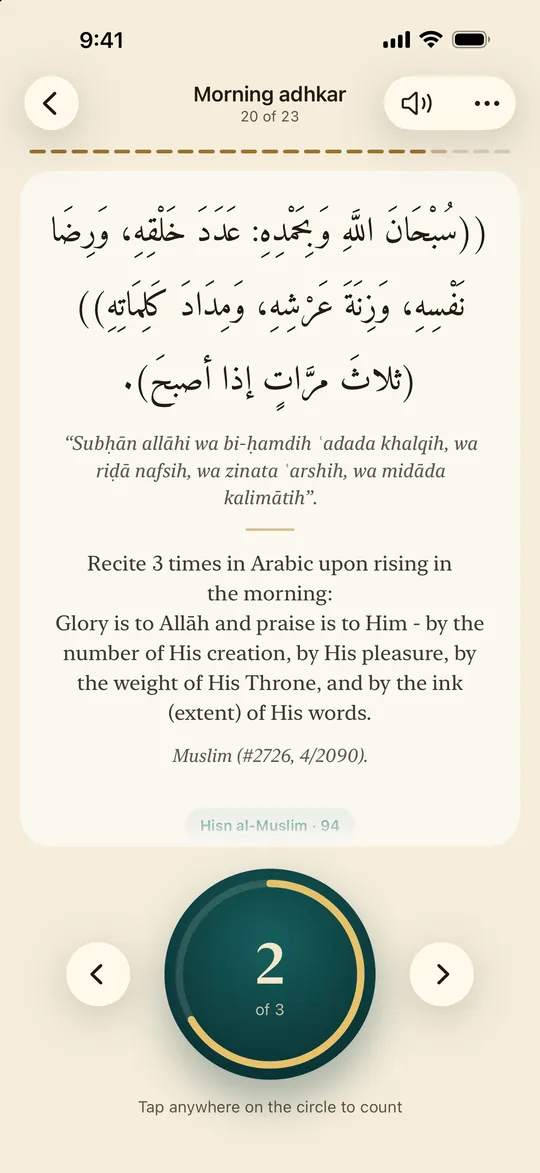
- The whole Fortress of the Muslim, all 132 chapters, with a counter: the morning and evening adhkar when their time comes.
- Widgets for the Home Screen and the Lock Screen: the next prayer, and the ayah of the day.
The Qibla
Turn your face toward the Qibla
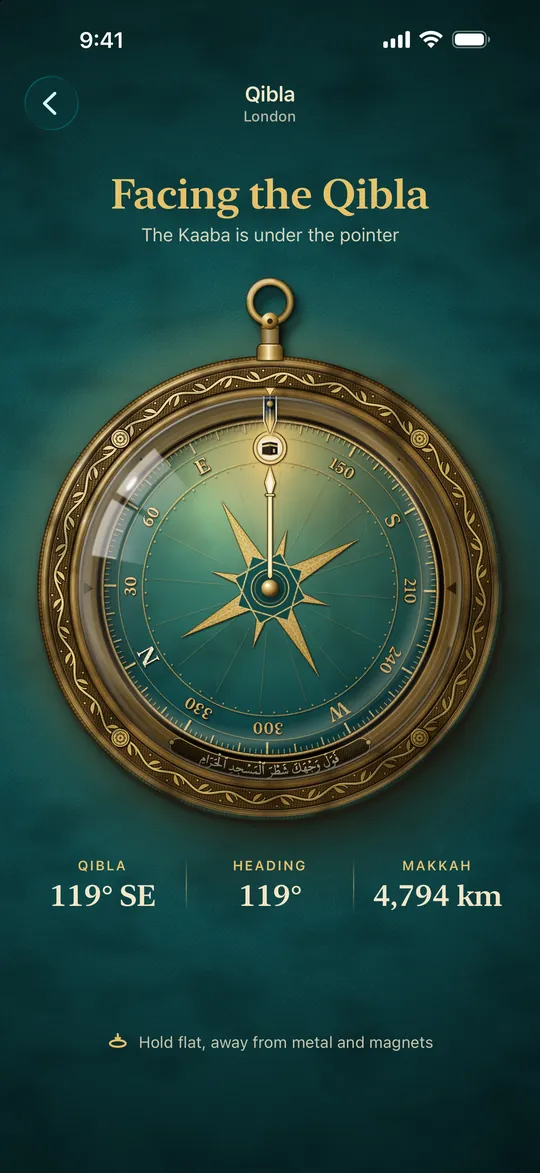
A brass compass, made like an old Ottoman qiblanüma. Hold it flat and turn until the Kaaba sits under the pointer.
Lessons
Prepare your khutbah.
Deliver it from the minbar.
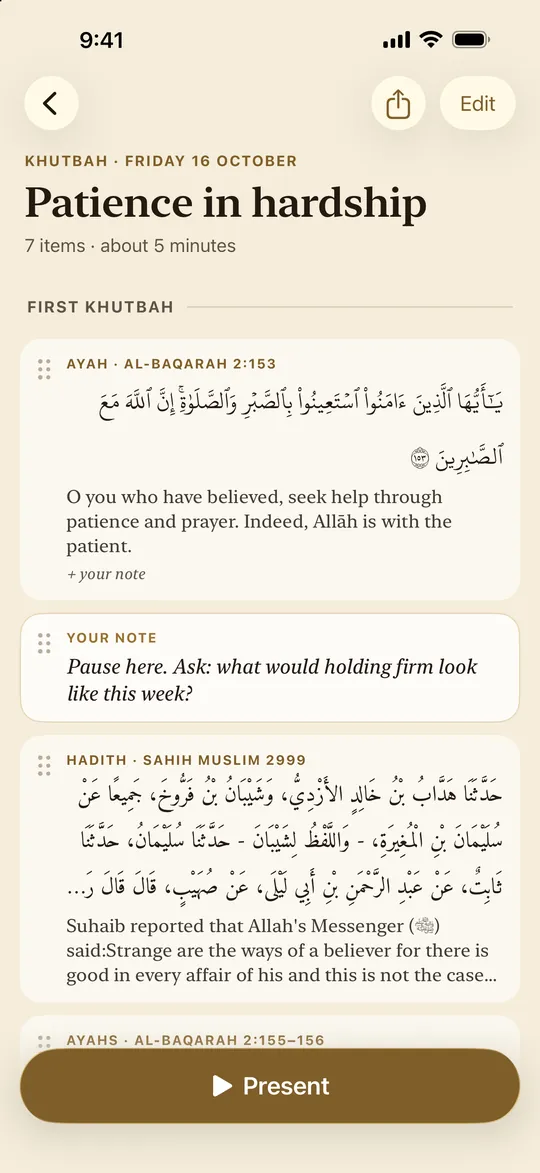
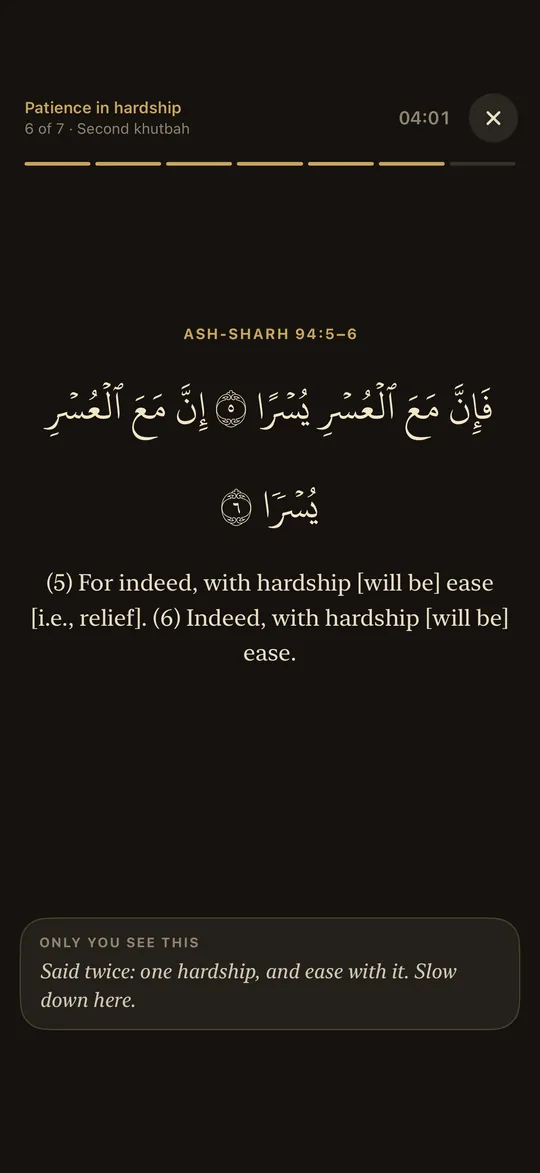
Gather ayahs, hadith, tafsir and your notes into a lesson. Present it one part at a time, with notes only you can see.
- Type pbuh and it becomes ﷺ. Write 2:255 or Bukhari 1, and it becomes a link.
- Present mode shows one part at a time, large and calm on a dark screen, for the minbar or the classroom.
- Export a lesson as a PDF, or as text.
And also
Cards, iCloud and offline reading
- Share an ayah as a card, and keep the ones you make under My cards.
- Your notes, lessons and highlights sync through your own iCloud.
- Everything you open stays available offline, and recitations you have heard play again without the internet. Download the whole mushaf at once if you like.
- Search your Library: notes, lessons and bookmarks, from one field.
- Start on the Quran, not on Today, if you prefer: it is one setting.
- English and Russian throughout, following your device’s language or the one you choose.
On iPad
Look inside
Every screen is made for iPad too, with room for the whole page.
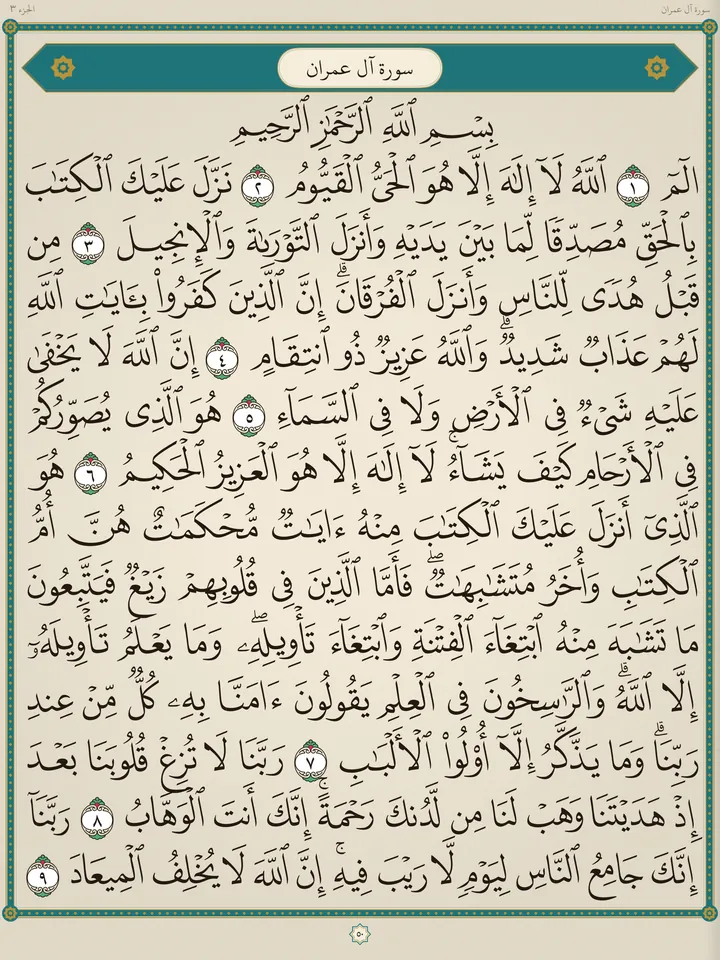
A whole pagePage 50, the opening of Ali ‘Imran: all fifteen lines, in the Madinah design 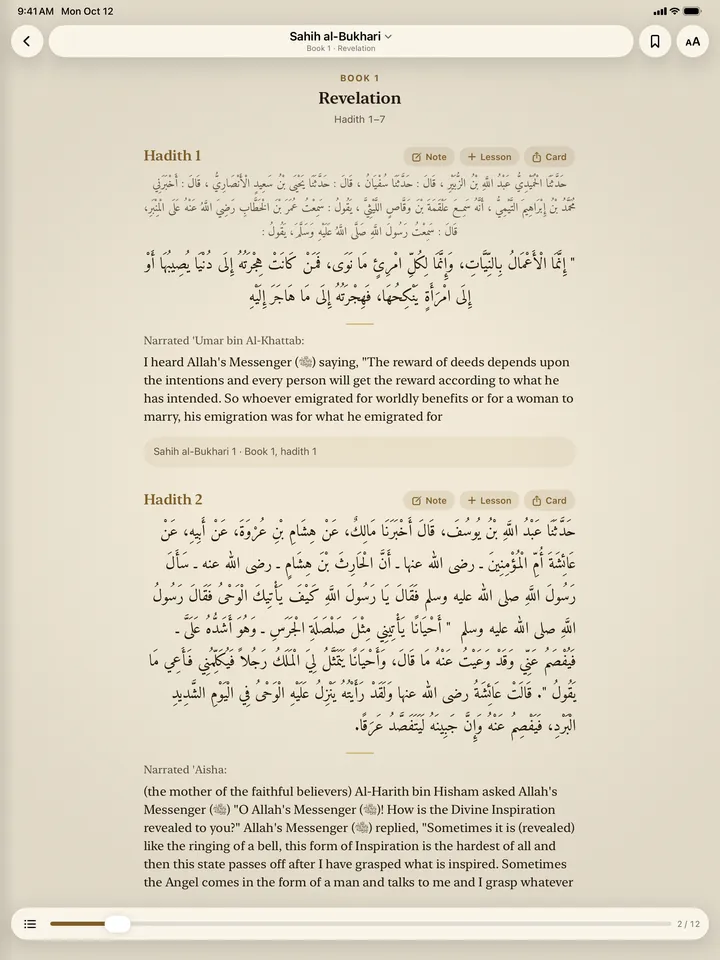
Sahih al‑Bukhari as a bookThe Book of Revelation, hadith 1 and 2, in Arabic and English 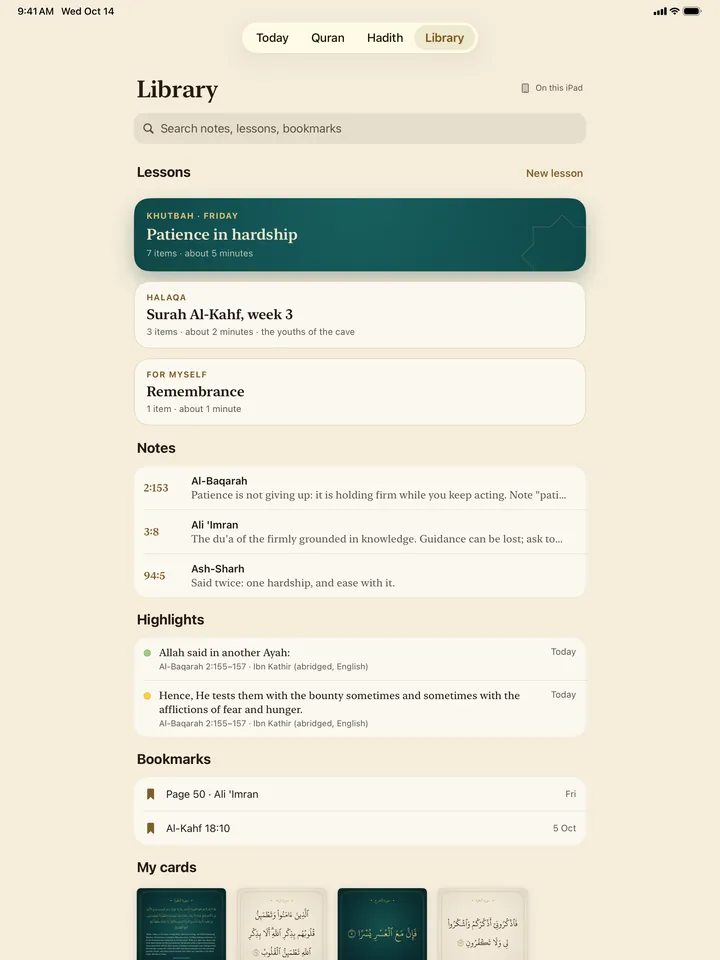
Your LibraryLessons, notes, highlights, bookmarks and cards, in one place


Privacy
Free. No ads. No tracking.
No account and no analytics. Nothing about you is sent to Safha.
No account
Open it and read. There is nothing to sign up for, and nothing to buy.
Location, only for the times and the Qibla
It is used on the phone, and Apple Maps names your town. Or choose the town by name, and Safha never asks for your location.
Your notes stay yours
They are kept on your device, or in your own private iCloud, which only you can reach. Safha has no server for them.
App Store privacy label: Data Not Collected. The privacy policy has the details.
Sources
The books, exactly as they are
Safha does not edit, shorten or rephrase what it shows. Every text is credited in the app to its author, translator and source, under Settings › About › Sources.
- The Quran, translations, tafsir and recitation
- Quran.com (Quran Foundation)
- The mushaf’s fonts
- King Fahd Glorious Quran Printing Complex
- More tafsirs
- Quranic Universal Library, through spa5k/tafsir_api (MIT)
- Hadith
- Hadith API by Fawaz Ahmed (Unlicense), crediting each translator and grader
- Fortress of the Muslim
- Sa‘id al‑Qahtani’s waqf book, in the Osoul and IslamHouse editions
- More recitations
- QuranicAudio.com, EveryAyah.com, mp3quran.net
- Prayer times
- Adhan by Batoul Apps (MIT)
- Arabic type
- Amiri (SIL Open Font License)
Al‑Jami‘ al‑Wajiz is shown unchanged, as its licence (CC BY-ND 4.0) asks.
Questions
Short answers
What does it cost?
Nothing. There are no ads, no in-app purchases and no subscriptions.
Which devices does it run on?
iPhone and iPad with iOS or iPadOS 26 or later. There is no Android version.
Which languages?
The app is in English and Russian. The Quran comes with 126 translations in 66 languages, and the tafsirs are in over 30.
Does it work offline?
What you open is kept: pages, translations and tafsir. You can download the whole mushaf at once and a hadith collection once, and recitations you have heard play again offline.
What happens to my data?
Nothing about you is sent to Safha. Your location is used on the phone, and Apple Maps names the town. Notes stay on the device or in your own iCloud. The privacy policy has the details.
How are the prayer times worked out?
On the phone, by the method used where you are: the Muslim World League, Umm al‑Qura, Diyanet, the Spiritual Administration of Muslims of Russia and others. You can change the method or the Asr school, or move a time by a few minutes.
Where do the texts come from? Are they changed?
From the sources above, each credited in the app, and they are shown exactly as published.
When can I get it?
Soon. Safha is on its way to the App Store, and this page will link to it the day it arrives.
How do I report a mistake or suggest something?
Write to rinat.abitov@gmail.com with your device, its iOS version and the page or ayah. Support has a few tips.